


Getting Started
Supported HubSpot objects Updated
PDF CreateMate seamlessly integrates with various HubSpot objects, enhancing your document management capabilities. Our tool now supports both Standard and Custom objects, providing greater flexibility for your business needs.
Standard Objects
By default, PDF CreateMate supports the following standard objects: Contact, Company, Deal, Ticket
Orders
PDF CreateMate also supports Orders, so you can generate order confirmations, packing slips and delivery notes from order records.
If you turn on Add to Attachments Card for an order template, the document appears as a note on the order's activity timeline with the file attached. Orders have no Attachments card in HubSpot, unlike contacts, companies, deals, tickets and projects, so the timeline is where you will find it.
Orders work differently from the four objects above in one respect: they appear only after you reconnect the app and approve the Orders permissions. The four original objects need no approval of their own.
Projects
PDF CreateMate also supports Projects, so you can generate project briefs, status reports and statements of work from project records.
Projects must be switched on in your HubSpot account before the object exists at all. Once it is available, projects appear in PDF CreateMate after you reconnect the app and approve the Projects permissions.
Custom Objects
We've extended our support to include custom objects in PDF CreateMate. Custom objects allow you to create specialized categories beyond the standard ones, giving you more control over how your data is organized and utilized.
Enabling Object Support
- New users: Support for standard objects (Contact, Company, Deal, Ticket, Orders, Projects) and custom objects is enabled by default for all new users. Orders additionally require you to approve the Orders permissions when connecting.
- Existing users: If you're an existing user, support for additional HubSpot objects, including custom objects, is not automatically enabled.
To enable these features:
- Go to Settings.
- Click on Reinstall HubSpot App.
- You'll be prompted to authorize PDF CreateMate with a new set of permissions.
- Confirm the permissions, and you'll be all set to use both standard and custom objects.
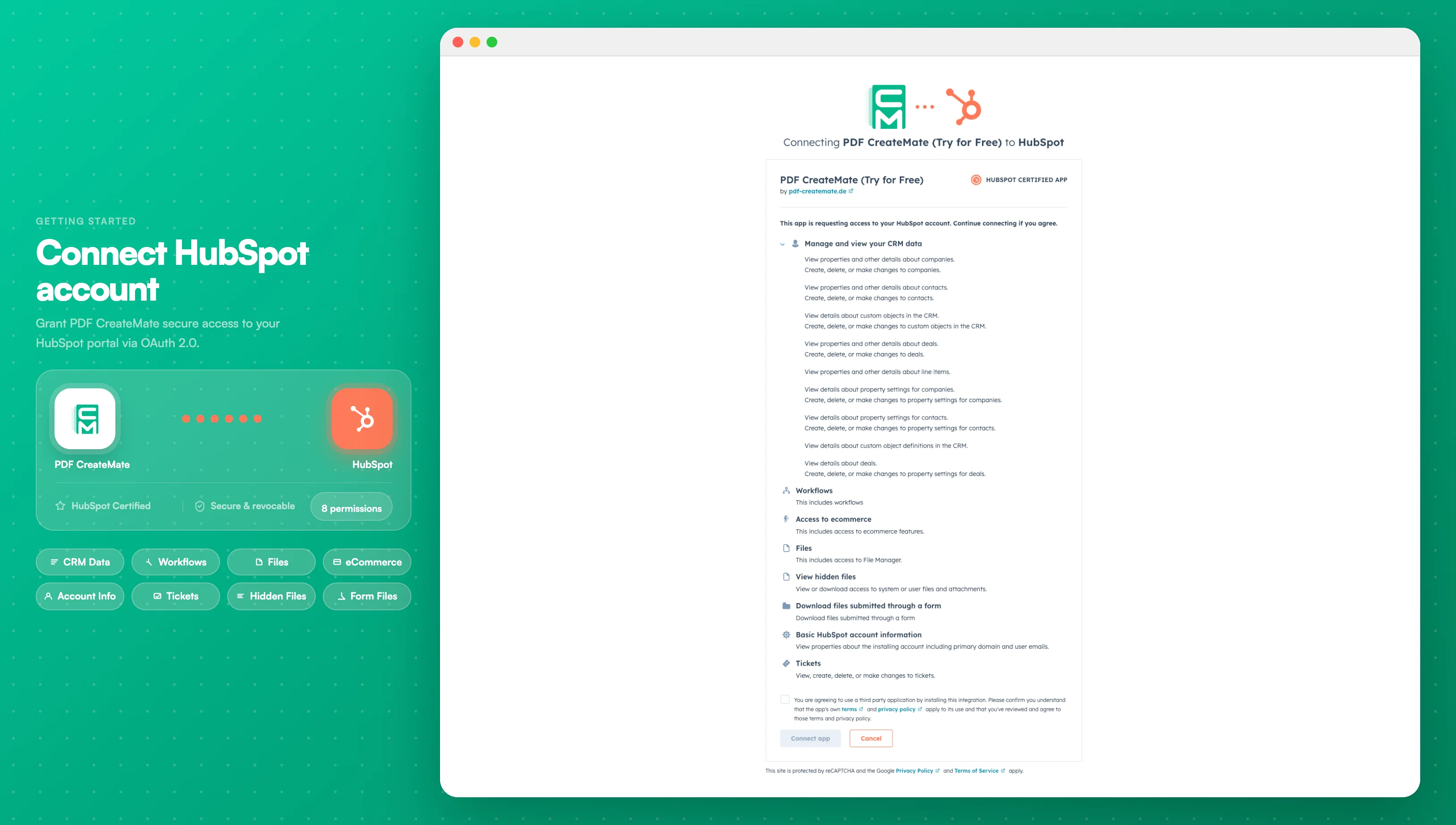
Image description
- A list of permissions that PDF CreateMate requires to function properly
- The "Connect app" button at the bottom to finalize the connection
- Your HubSpot portal name and account identifier at the top
- Each permission category (CRM, Marketing, etc.) with detailed access levels