


Generate Documents
Workflows (Legacy) Deprecated
This method is deprecated and no longer recommended. Please use Workflow Actions to generate PDFs, which offers better flexibility and is the supported approach going forward.
This method only works for contacts, companies, deals and tickets. For orders and projects, use the Workflow Action.
This documentation is preserved for users with existing workflows using the legacy property-based trigger method.
How It Works
The legacy method uses two HubSpot properties to trigger document generation:
generate_pdf_for_template— set to the template UUID(s) to request generation.pdf_generated_for_template— populated after generation to prevent duplicates.
When generate_pdf_for_template changes, PDF CreateMate receives a HubSpot webhook and queues document generation for templates listed there that are not already present in pdf_generated_for_template.
Setup Steps
- Add/ensure the
generate_pdf_for_templateproperty exists on the object (created by PDF CreateMate setup). - In HubSpot, build a workflow that sets
generate_pdf_for_templateto one or more template UUIDs (semicolon-separated). - Optional: Enable re-enrollment if you plan to regenerate when the property changes again.
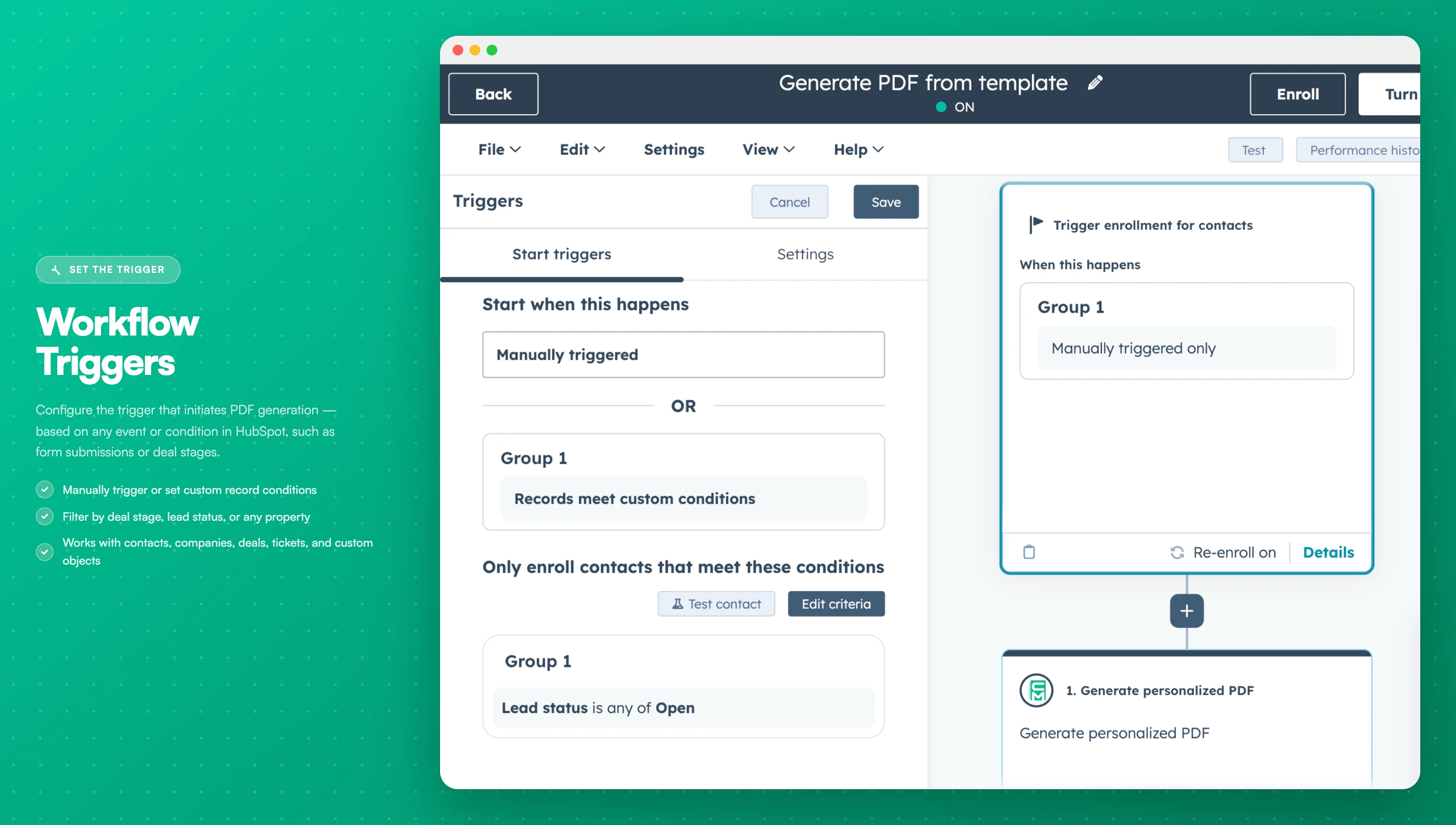
Image description
The workflow trigger screen displays:
- The "Contact Enrollment Trigger" button at the top of the workflow
- Available trigger options (property changes, form submissions, etc.)
- Filter criteria configuration options
- "Apply filter" button to confirm selections
- The "Contact Enrollment Trigger" button at the top of the workflow
- Available trigger options (property changes, form submissions, etc.)
- Filter criteria configuration options
- "Apply filter" button to confirm selections
- Optionally, activate the re-enrollment toggle if you want the workflow to be re-triggered when the criteria are met again.
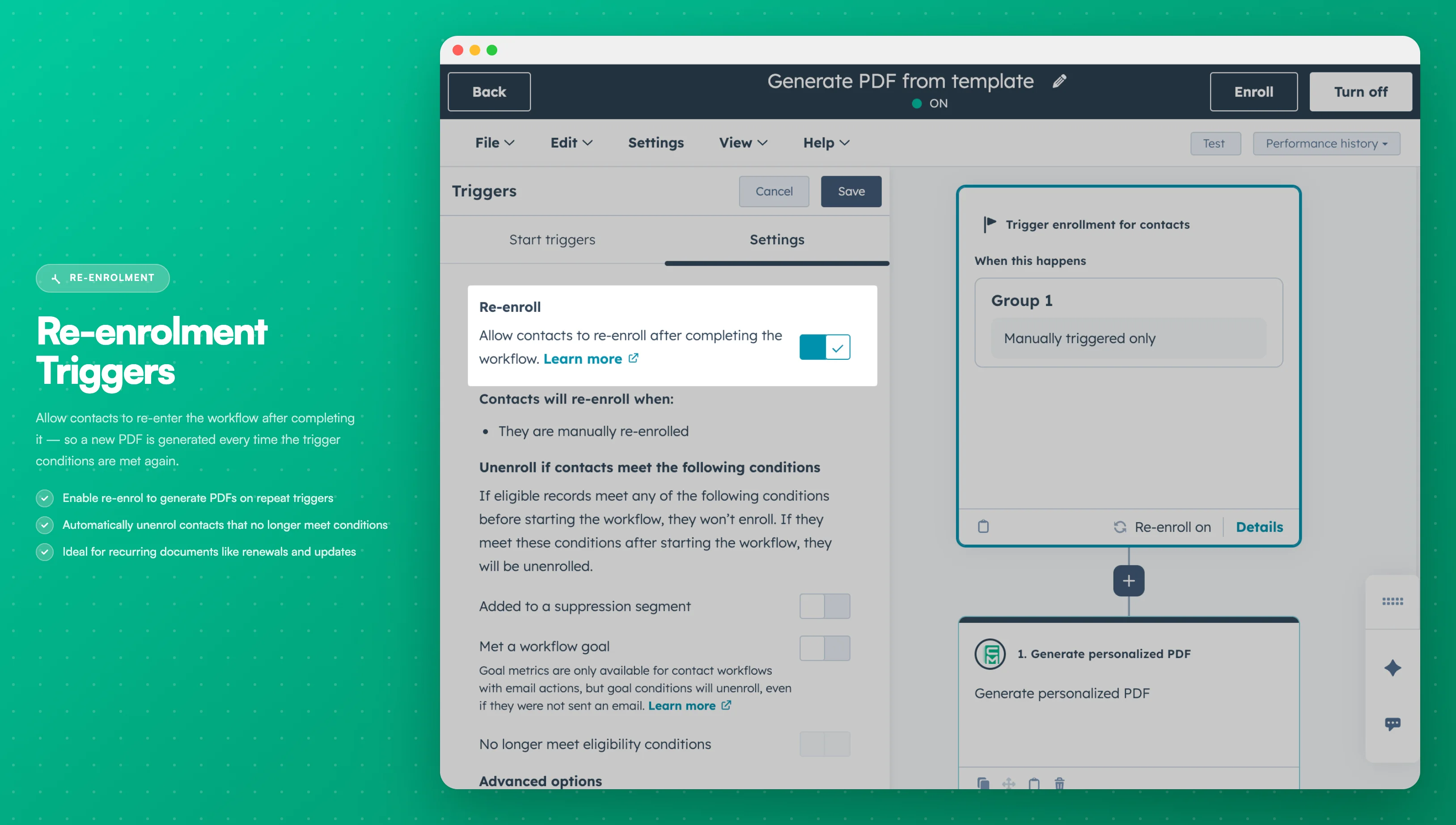
Image description
The re-enrollment section shows:
- A toggle switch to enable re-enrollment
- Options to select which trigger criteria should allow re-enrollment
- Explanatory text about how re-enrollment works
- A toggle switch to enable re-enrollment
- Options to select which trigger criteria should allow re-enrollment
- Explanatory text about how re-enrollment works
- Once done configuring, ensure you save and turn on the workflow within HubSpot. Keep the PDF CreateMate HubSpot connection active; otherwise webhooks will be ignored.
Testing the Workflow
- Open any contact on your HubSpot account.
- Set
generate_pdf_for_templateon the target record to a template UUID (or multiple UUIDs separated by;). Clear or update it to regenerate.
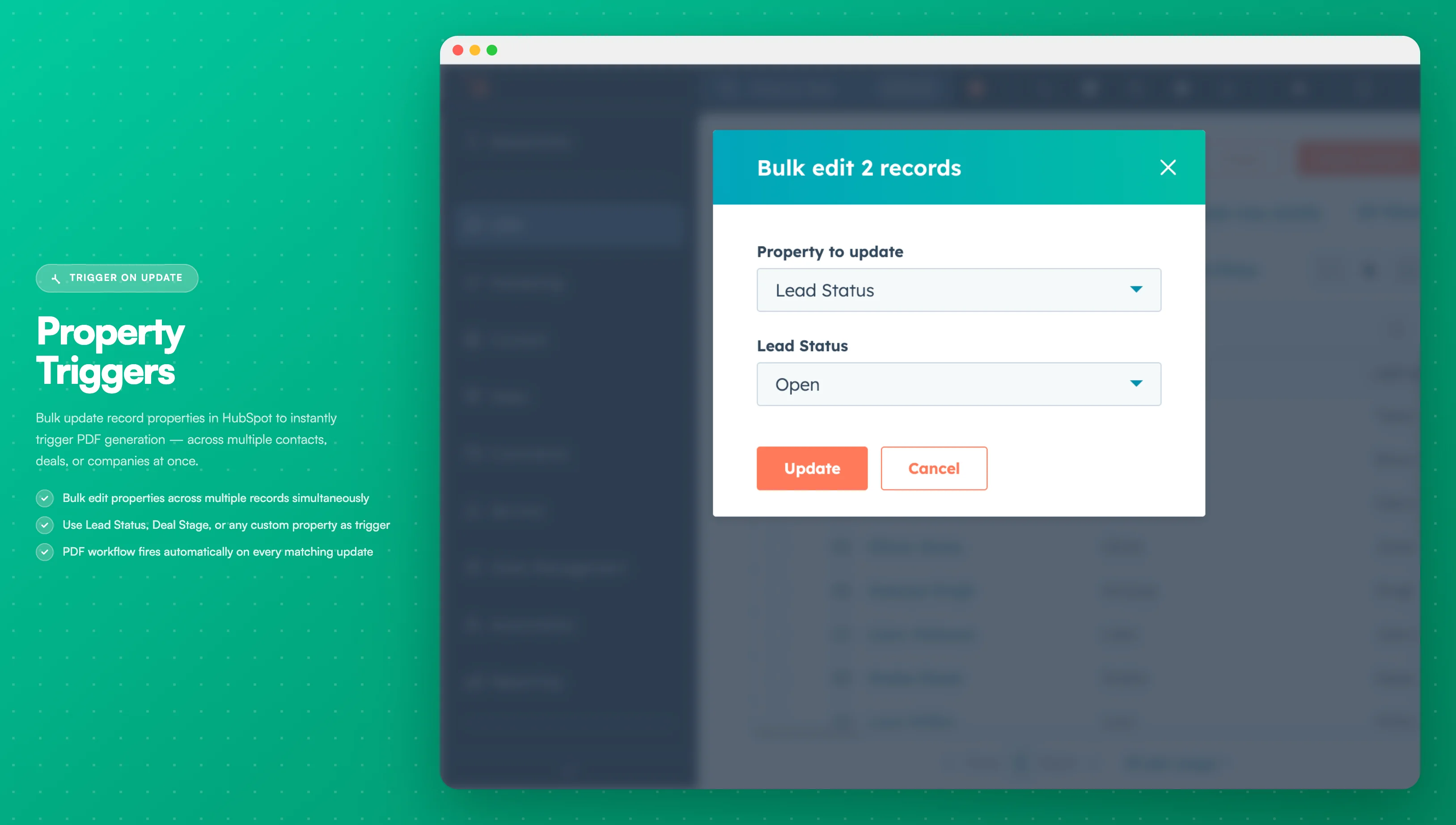
Image description
The contact record screen shows:
- The property field being edited
- A dropdown or input to select/enter the trigger value
- The "Save" button to apply changes
- The property field being edited
- A dropdown or input to select/enter the trigger value
- The "Save" button to apply changes
- This action will activate the workflow, prompting PDF CreateMate to process and generate a document for the involved record.
- After generation,
pdf_generated_for_templateis updated to include the template UUID. The document link is stored in the file property you configured for that template.
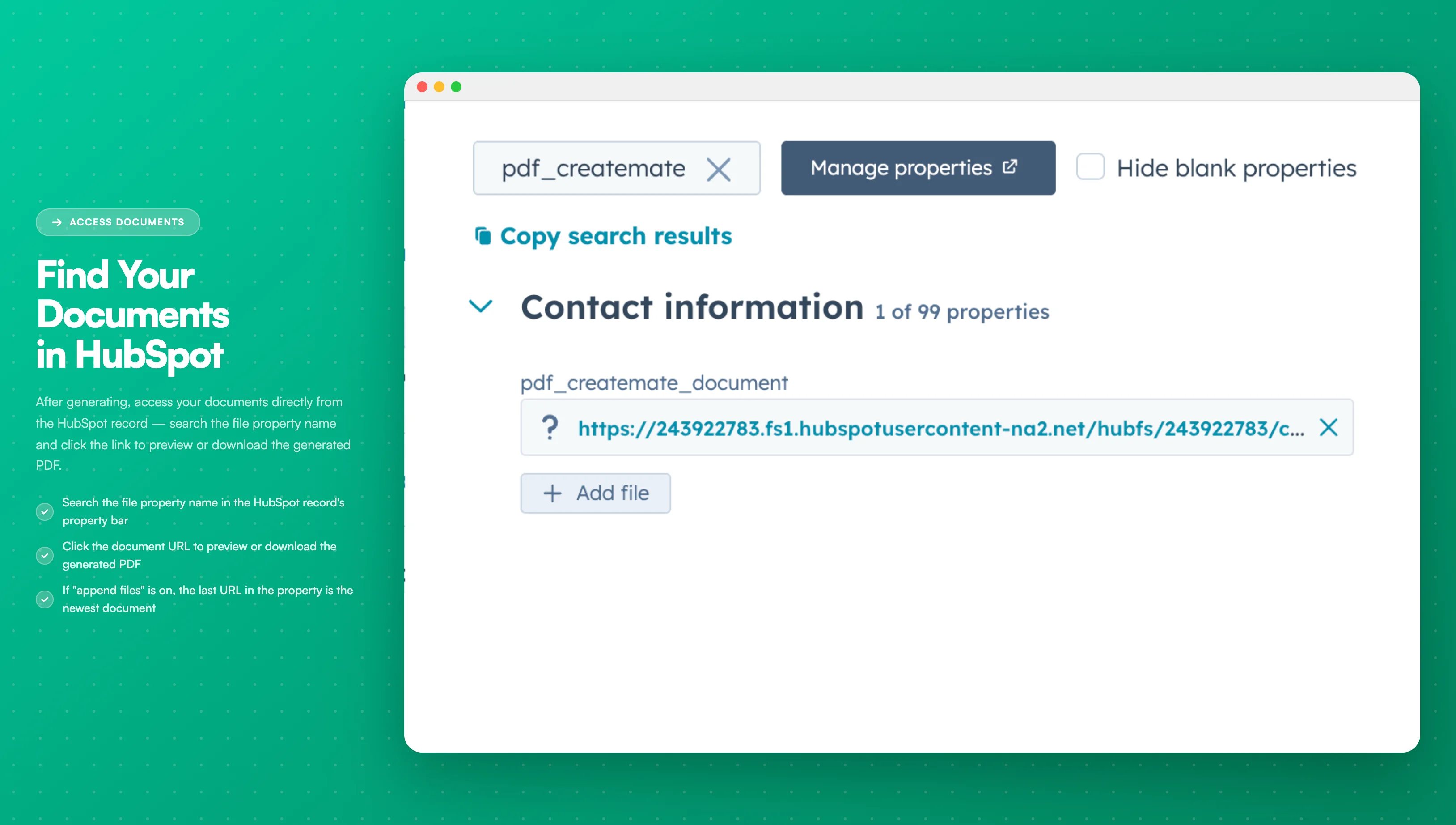
Image description
The contact record displays:
- The file property containing the generated document link
- A clickable URL to access the document
- The timestamp of when the document was generated
- The file property containing the generated document link
- A clickable URL to access the document
- The timestamp of when the document was generated
It's essential to configure and test the workflow meticulously to prevent unwanted mass document generation. Continuously monitor the workflow from within HubSpot to guarantee its proper operation.
Migration to Workflow Actions
We recommend migrating to Workflow Actions for:
- Better reliability and error handling
- Easier setup and configuration
- Native HubSpot integration
- Ongoing support and updates