


Generate Documents
Regenerate Documents
By the PDF CreateMate team Last updated
When contact data changes or you need to update an existing document, you can regenerate it to reflect the latest information. There are two methods: from PDF CreateMate or from HubSpot.
Method 1: From PDF CreateMate (Recommended)
The easiest way to regenerate documents is directly from the PDF CreateMate template detail page.
- Navigate to your template's detail screen for enrolled objects
- Select the records you want to regenerate
- Click Retry/Regenerate
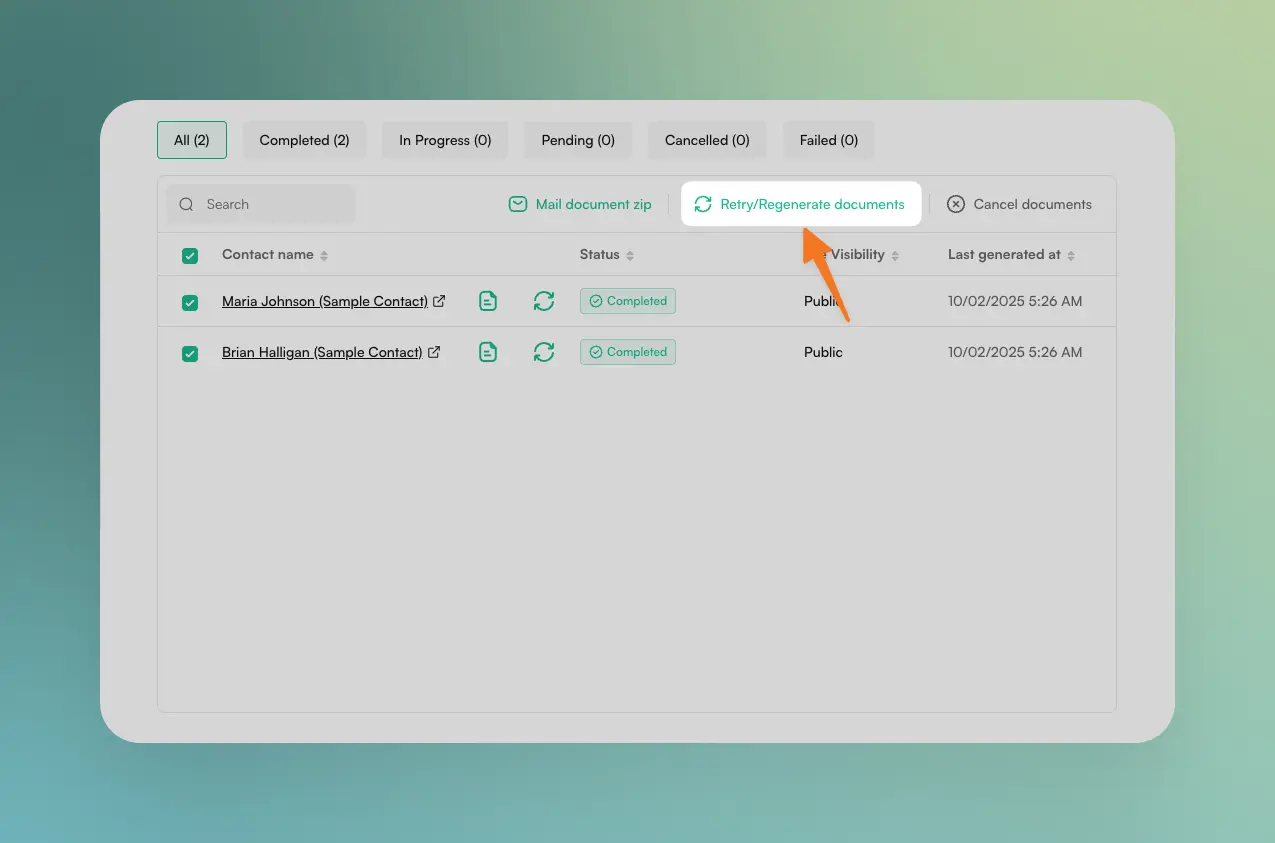
Image description
- A list of contacts for whom documents were generated using the template
- Checkboxes to select multiple contacts
- A "Retry" button in the toolbar to regenerate documents
- Status indicators for each contact’s document (Completed, Pending, Failed)
PDF CreateMate will process and regenerate documents for the selected contact(s).
Method 2: From HubSpot
You can also trigger regeneration directly from HubSpot by resetting and re-setting the trigger properties (generate_pdf_for_template / pdf_generated_for_template).
Step 1: Clear the Properties
- Navigate to your contact list in HubSpot
- Select the contact(s) to regenerate
- Click the Edit button
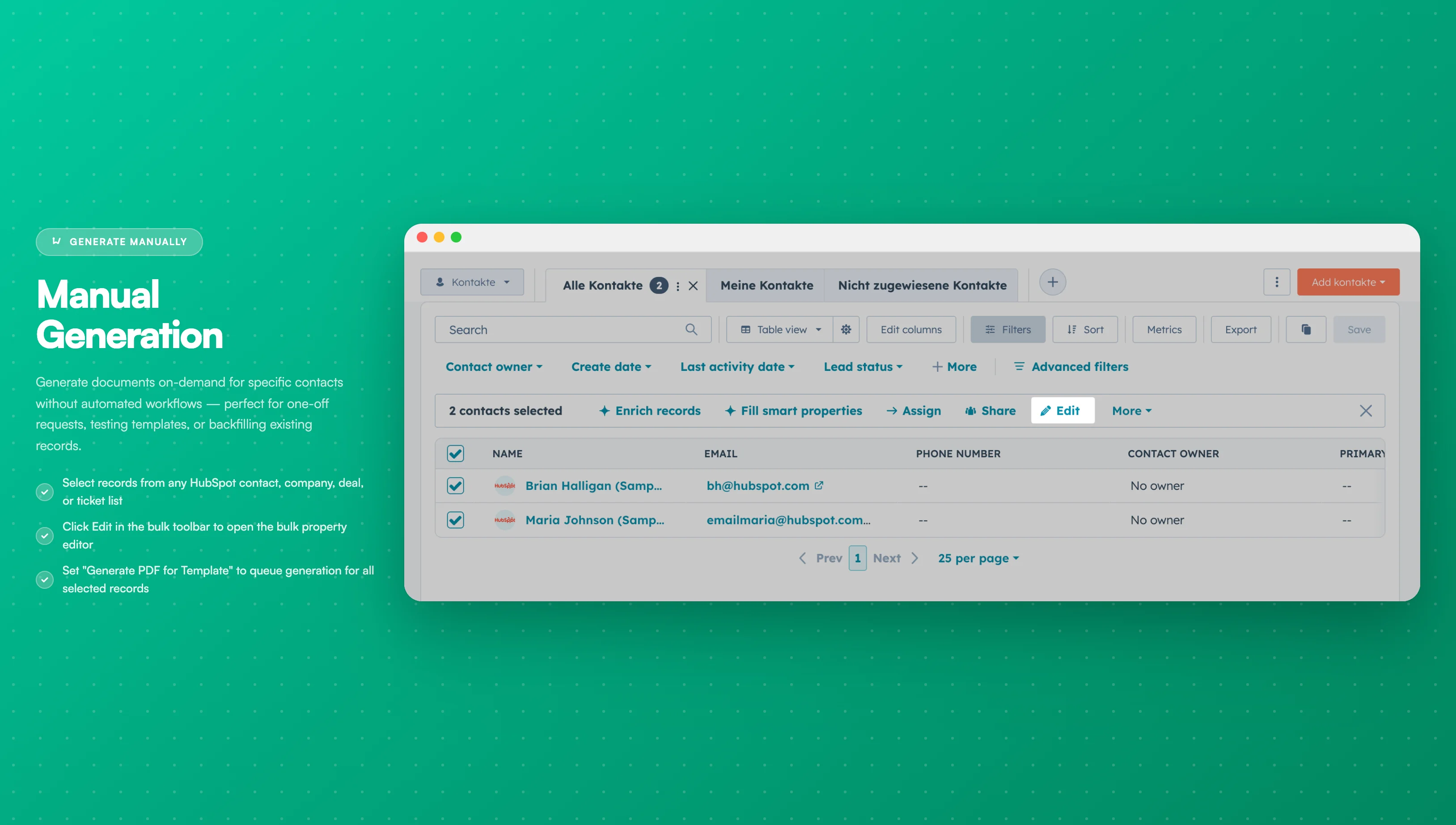
Image description
- Multiple contacts selected with checkboxes
- The "Edit" button in the toolbar
- Contact names and details in the list
- Search for Generate PDF for Template and clear the template UUID(s)
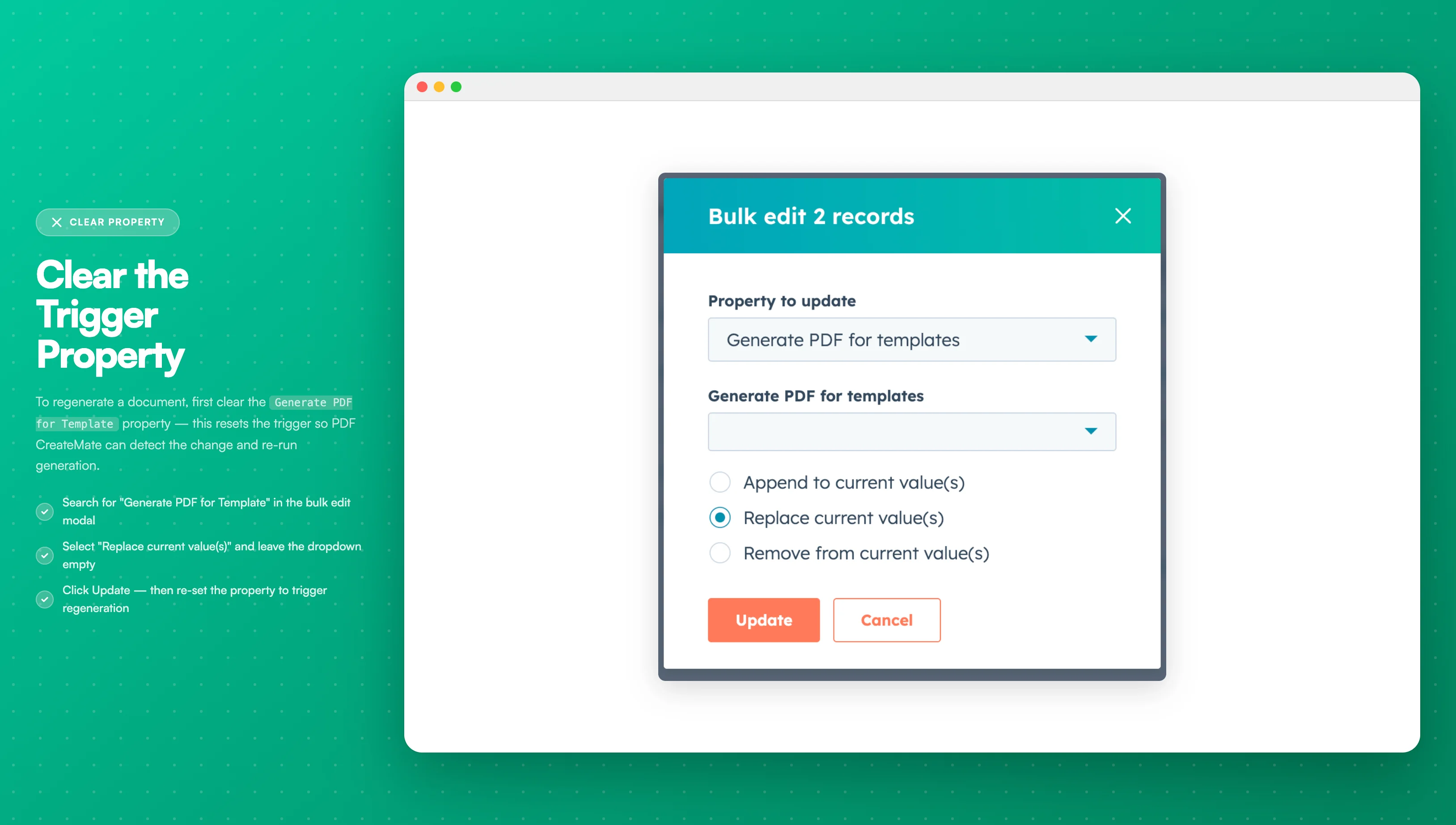
Image description
- The "Generate PDF for Template" property selected
- The current template value being cleared
- The remove/clear option highlighted
- Search for PDF generated for Template and clear the template UUID(s)
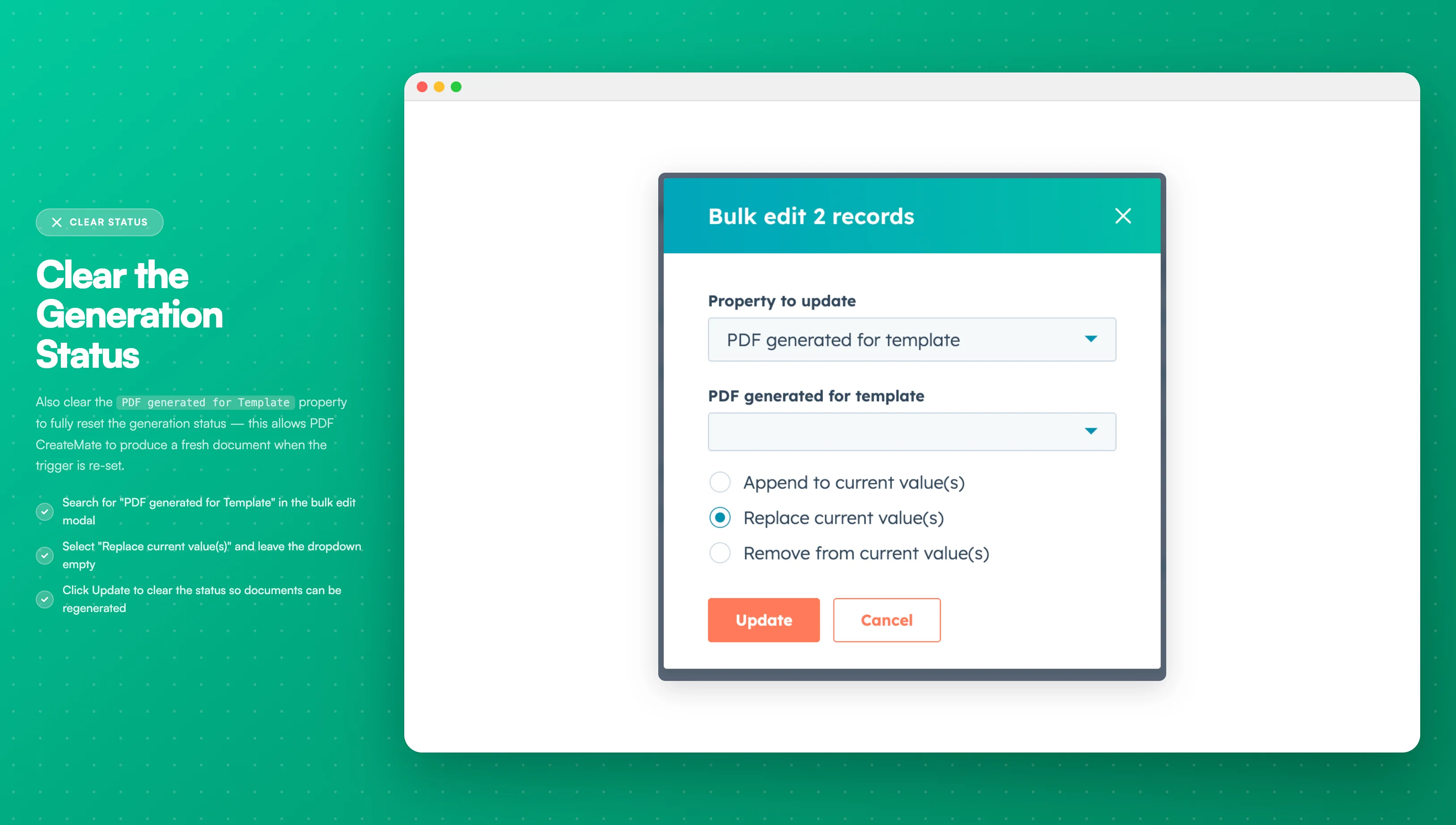
Image description
- The "PDF generated for Template" property
- Option to clear/remove the template value
- This resets the generation status so documents can be regenerated
- Click Update to save changes
Step 2: Trigger Regeneration
- Click Edit again
- Search for Generate PDF for Template
- Set the template UUID(s) to regenerate (semicolon-separated if multiple)
- Click Update
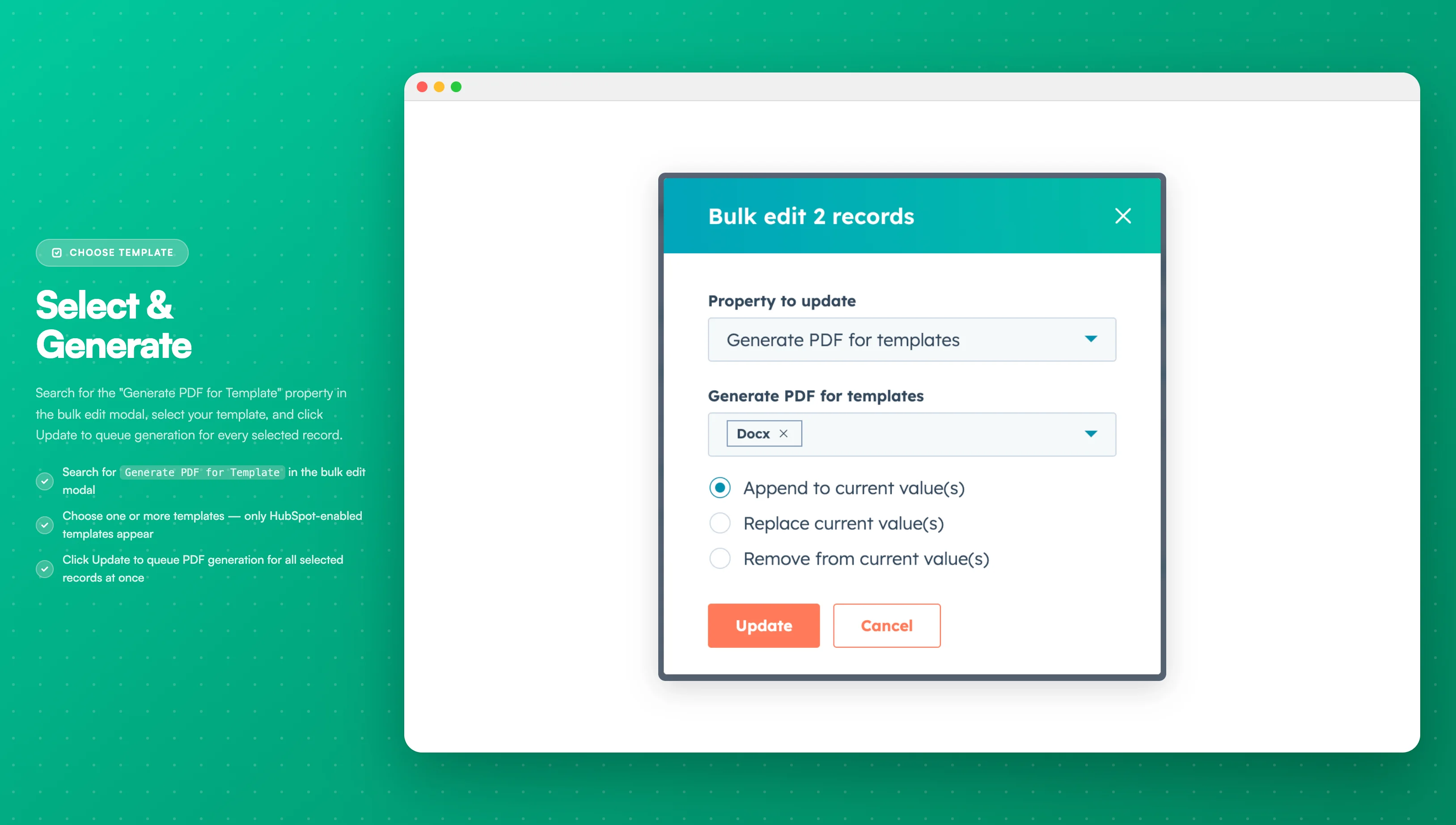
Image description
- The "Generate PDF for Template" property
- A dropdown list of available templates
- The template to be regenerated selected
PDF CreateMate will detect the property change and regenerate the documents for that record. After completion, pdf_generated_for_template is updated again and the document link is refreshed in the configured file property.
How It Works
When to Regenerate
- Contact information has been updated
- Template design has changed
- Default property values have been modified
- Previous generation failed or had errors
- You need an updated version with current data